
02 Floor Plan
Your whole floor, live in your hand.
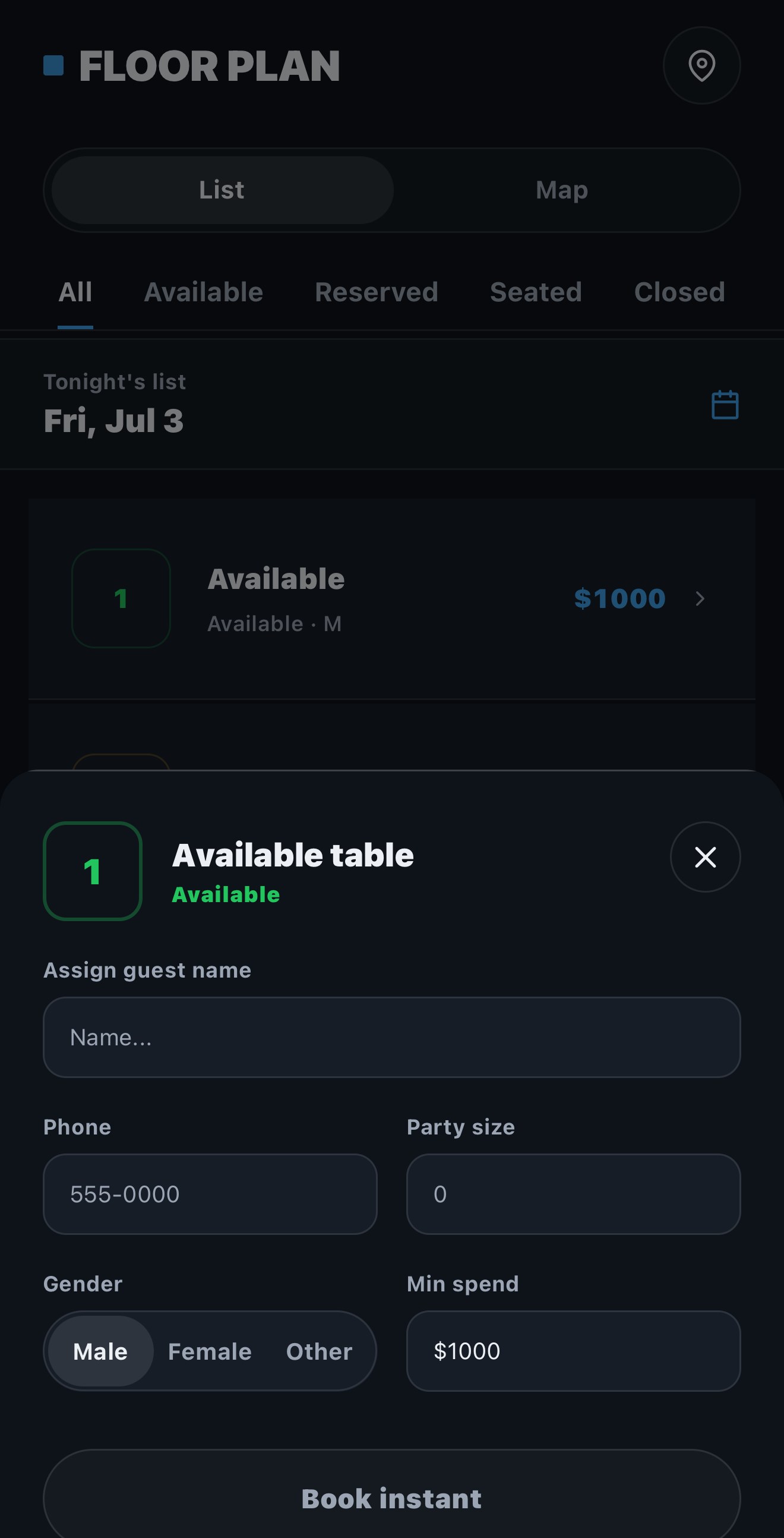
An interactive floor plan that mirrors your room in real time. Book a table in 2–3 taps — down from 5–7 on the platform you're on now. Drag to seat, drag to swap, drag to fix. Every device stays in sync.
How it works
Book in 2–3 taps
Tap an open table, add the guest, party size, and minimum. Done. No five-screen wizard, no waiting on a sync to catch up.
Drag to run the room
Seat a party, swap two reservations, or fix a mistake by dragging. The map is the interface — no forms standing between you and the floor.
Every device in sync
Host stand, manager, and back office see the same live floor. A change on one screen is on every screen before the guest sits down.
Why it matters
Speed the floor can feel.
Two-to-three taps instead of five-to-seven doesn't sound like much — until it's Friday at midnight with twelve parties at the rope. Speed compounds when the room is full.